Burning the Midnight oil
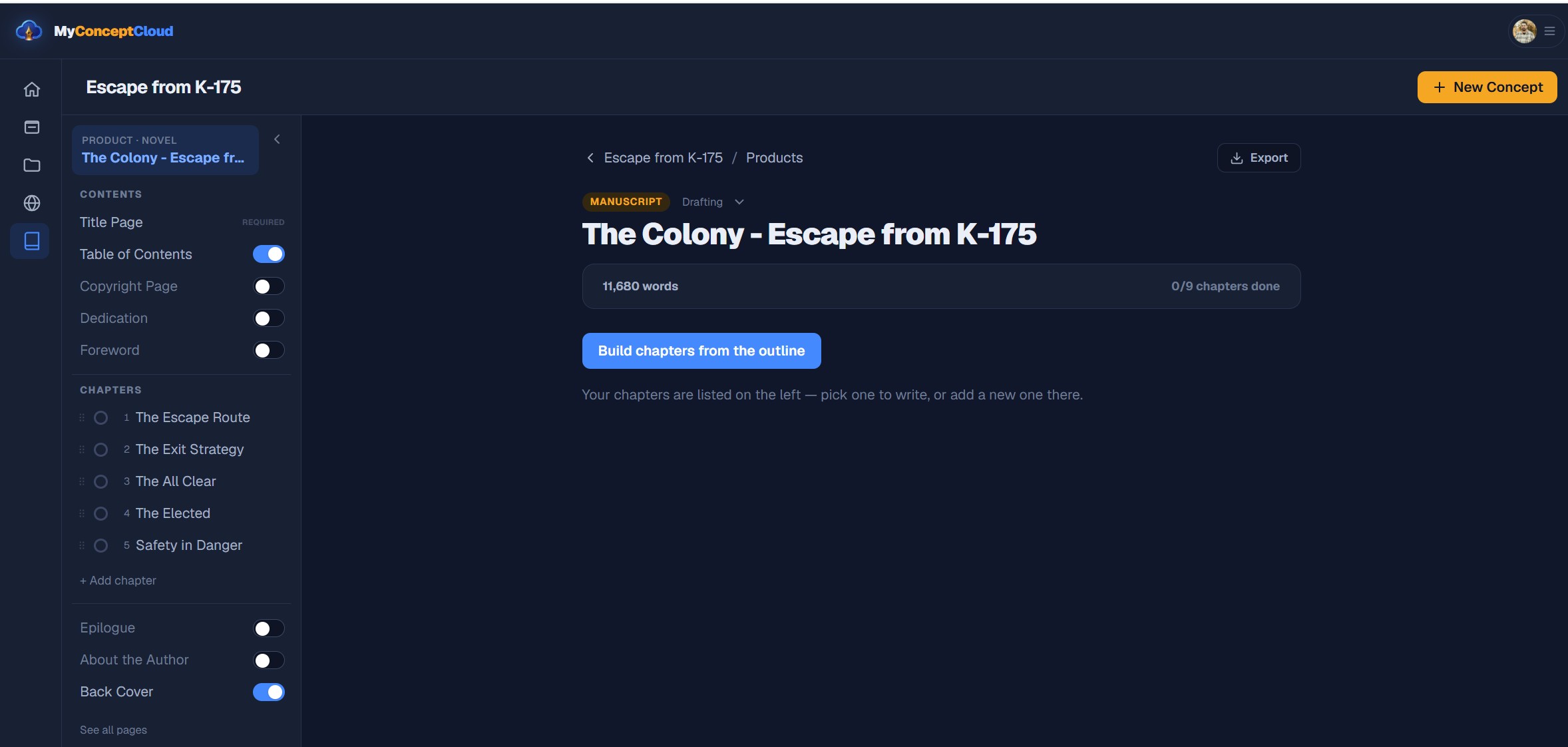
Today was focused almost entirely on one feature: turning a finished manuscript into an actual book PDF.
Up until now, MyConcept Cloud has been focused heavily on helping writers build and organize their stories. But eventually, those stories need to leave the platform.
Today was a big step toward making that happen.
The Book Export Is Here
The biggest addition today is a real, one-click PDF download for books.
Instead of opening a print dialog or trying to turn the browser version of a manuscript into a PDF, MyConcept Cloud now generates the file directly in the browser.
The export system was built using jsPDF, which means the PDF can be generated without requiring another paid backend service just to create the file.
More importantly, the downloaded file is being formatted like a book, not just a webpage saved as a PDF.
Building the Book Structure
Getting the manuscript into a PDF was only the beginning.
A book has a lot more structure than just chapters placed one after another.
The export system now supports:
- Full-bleed front covers
- Full-bleed back covers
- Copyright pages
- Dedications
- Forewords
- Epilogues
- About the Author pages
- Automatically generated Tables of Contents
- Proper chapter pages
Front and back matter are also treated differently from chapters now.
Previously, pages like a dedication or foreword could end up being treated like numbered chapters. The export system now recognizes these as titled pages, keeping them separate from the actual chapter numbering.
Automatic Copyright Pages
Writers can now choose to automatically include a copyright page in their book.
If the copyright section is left blank, MyConcept Cloud generates a standard copyright notice using the author’s name and year.
Writers who want something more specific can replace it with their own copyright text instead.
The goal is to give newer writers something usable immediately without taking control away from writers who already know exactly how they want their book structured.
A Real Table of Contents
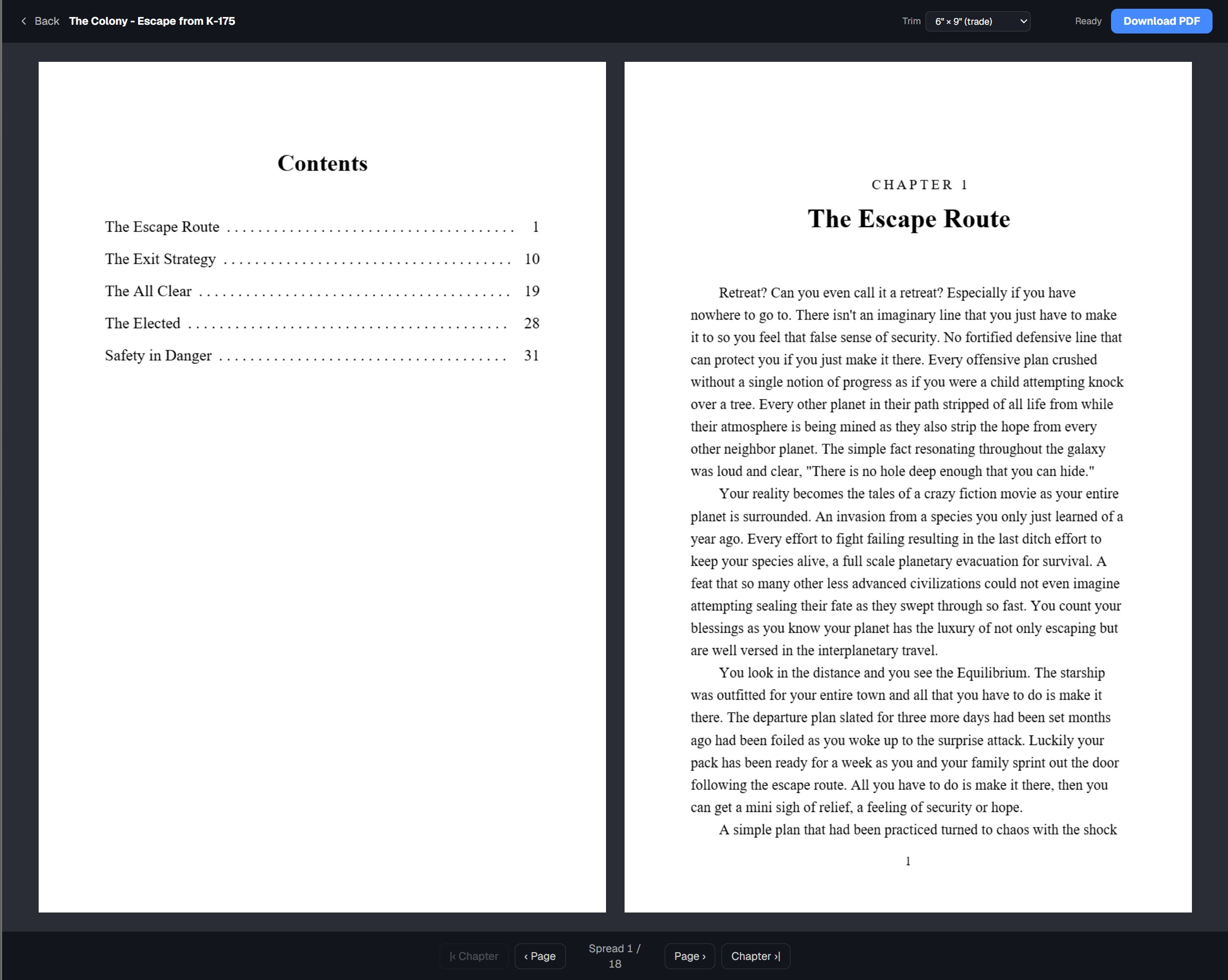
The Table of Contents received a major upgrade as part of the export system.
It now includes:
- Actual page numbers
- Dotted leaders between chapter titles and page numbers
- Proper chapter ordering
- Body page numbering beginning at Page 1
This means the Table of Contents is being generated from the final layout of the book rather than simply listing the chapters.
As the book changes, the exported Table of Contents changes with it.
Formatting the Interior
The interior export also received its first real formatting rules.
Books currently export with:
- Black-and-white interiors
- Times as the PDF font
- Indented paragraphs
- Left-aligned body text
- Consistent chapter formatting
- Selectable trim sizes
Writers can choose between common book dimensions such as 6×9 and 5×8, allowing the PDF layout to better represent the size of the book they are actually trying to create.
This is still an area that will continue to improve.
Times is currently being used because custom fonts such as Palatino need to be embedded into the generated PDF. Custom font support is something I plan to revisit as the export system develops.
Previewing the Finished Book
I didn’t want writers to have to download a PDF every time they wanted to see how their book looked.
The new reader uses pdf.js to render the generated PDF directly inside MyConcept Cloud.
The reader includes:
- A two-page spread
- Page navigation
- Chapter navigation
- Fit-to-screen viewing
Because the preview is rendered separately from the download process, opening the reader doesn’t automatically download anything.
You can look through the book first, make changes, regenerate it, and download it when you’re ready.
One Bug Fix Along the Way
Building the PDF system also helped uncover an app-wide hydration error.
The problem came from Google AdSense being rendered into the <head> on the server, which caused the server-rendered HTML and client-rendered version to disagree.
AdSense now loads client-side, resolving the hydration console error across the application.
Not exactly part of book exporting, but I’ll happily take a bug fix while I’m there.
What’s Coming Next
The PDF exporter is working, but this isn’t the end of the publishing side of MyConcept Cloud.
There are still a few areas I want to expand:
- Embedded custom fonts
- More control over book formatting
- Additional trim and layout options
- Continued improvements to the PDF reader
- EPUB export
EPUB is still a future addition rather than something being squeezed into the PDF system just to say it’s there.
The goal isn’t simply to give writers a Download PDF button.
The goal is to eventually let someone take an idea from its earliest concept, build the world around it, write the manuscript, organize the finished book, and walk away with something that actually looks like a book.
Today got MyConcept Cloud a lot closer to that.
>_ discussion
Comments
Questions, thoughts, or a better way to solve the problem? Join the discussion.