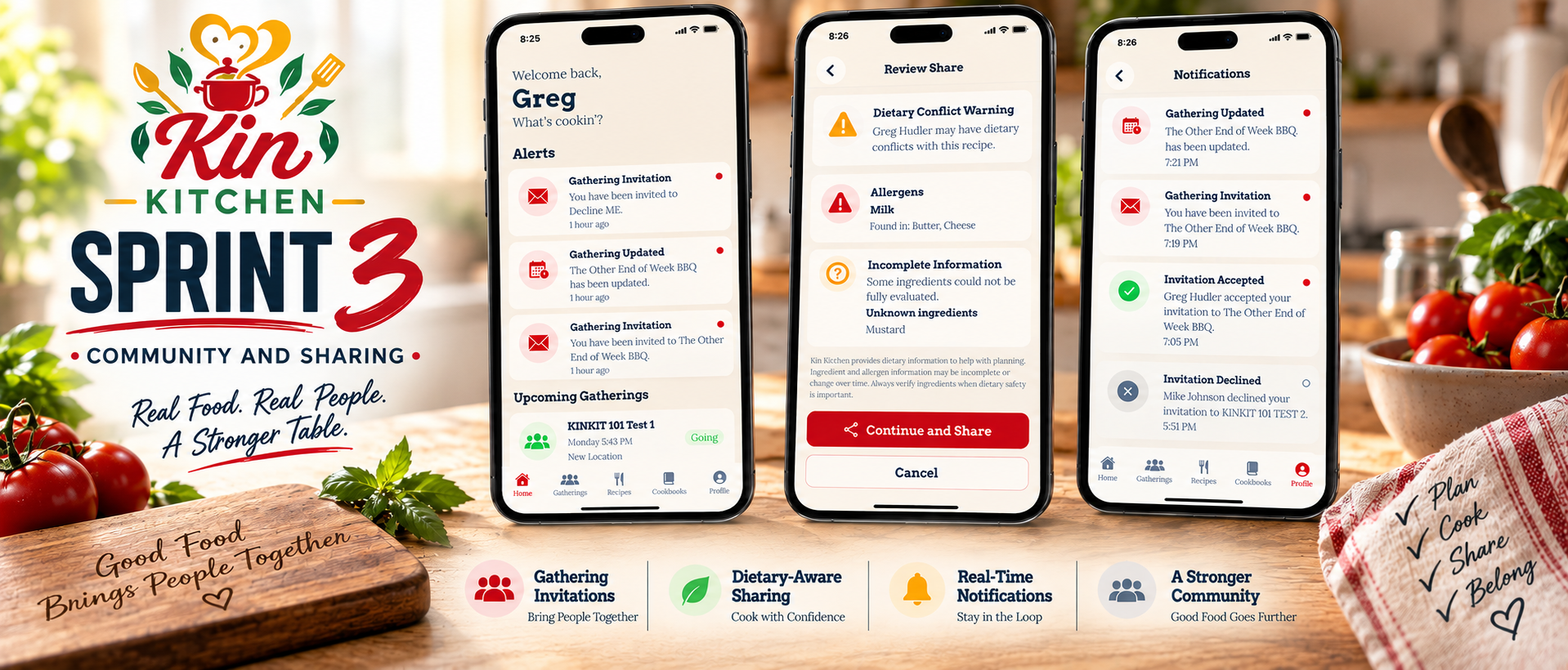
Sprint 3: Community and Sharing
Sprint 2 gave Kin Kitchen the foundation it needed. Recipes could be created and managed, dietary profiles could identify potential conflicts, and gatherings could be organized around what people were bringing.
Sprint 3 was about connecting all of that together.
The goal wasn’t just to add more screens. It was to make Kin Kitchen actually feel like a community.
People needed to be able to invite each other to gatherings, respond to those invitations, share recipes with each other, understand dietary conflicts before sharing food, and stay informed when something changed.
By the end of this sprint, those pieces were finally talking to each other.
Gathering Invitations
One of the biggest additions this sprint was a complete invitation workflow. A gathering host can now search for another Kin Kitchen user and invite them directly to a gathering. The invitation begins in a pending state and appears for the invited user, who can open the gathering and decide whether to accept or decline.
That response isn’t isolated to the invited person’s account either.
When an invitation is accepted or declined, the host receives a notification showing the response.
This gave gatherings an actual two-way interaction instead of simply being records created by one user.
The basic flow now looks like this:
Host Invites → Guest Receives Invitation → Guest Responds → Host Gets Updated
Accepted users then become active participants in the gathering.
Notifications Have Arrived
Invitations also created the need for something Kin Kitchen didn’t have before: notifications.
Sprint 3 introduced an in-app notification system that keeps users informed about activity that actually affects them.
Notifications are currently generated for:
- Gathering invitations
- Accepted invitations
- Declined invitations
- Gathering updates
New notifications begin unread and appear directly on the Home screen under Alerts.
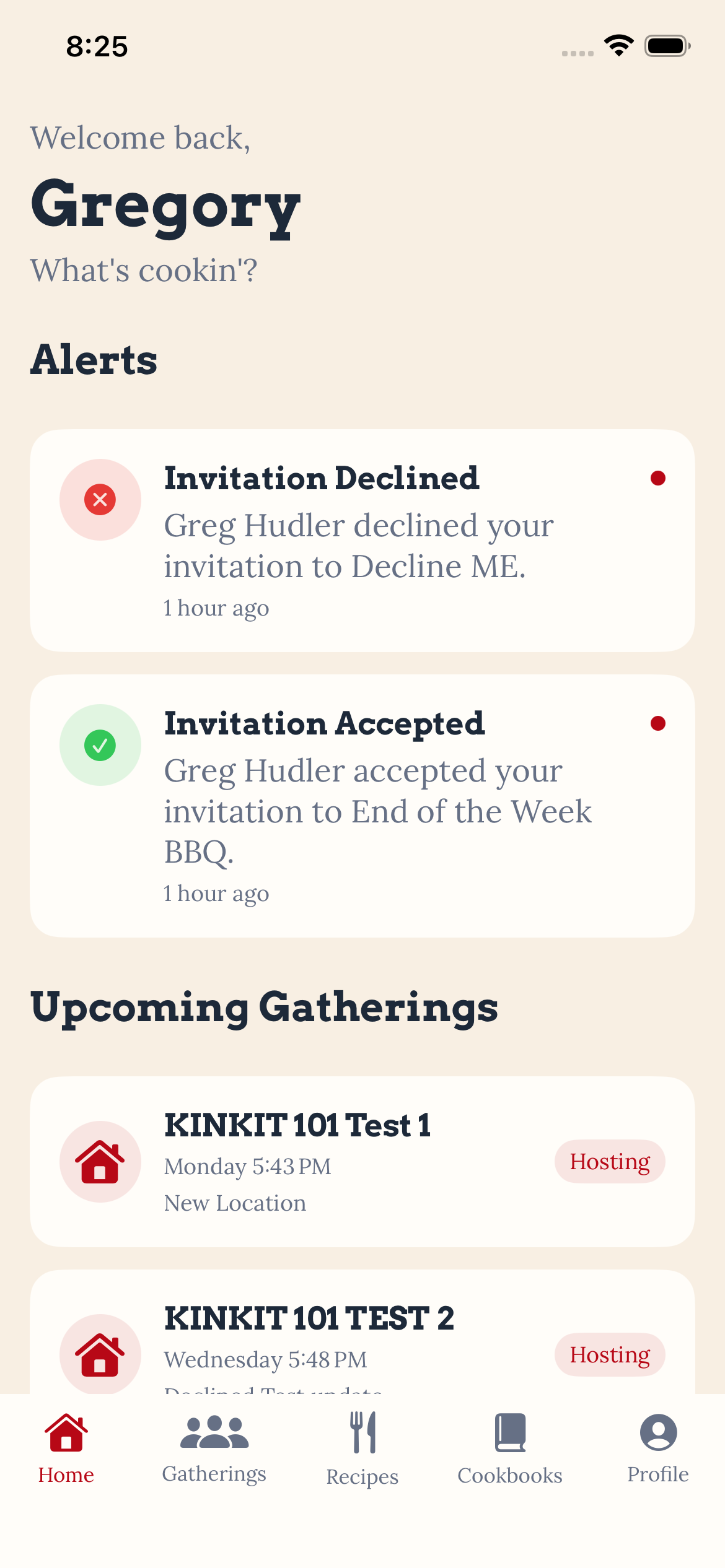
The Profile area also contains a full Notifications view where users can see both current and previously read notifications.
Read state is persisted in the database, so marking something as read isn’t just a visual change that disappears the next time the app launches.
Users can also tap gathering-related notifications to go directly to the Gathering Detail screen associated with that notification.
That last piece was important.
A notification shouldn’t just tell someone that something happened. It should help them get to the thing that needs their attention.
Making the Home Screen Useful
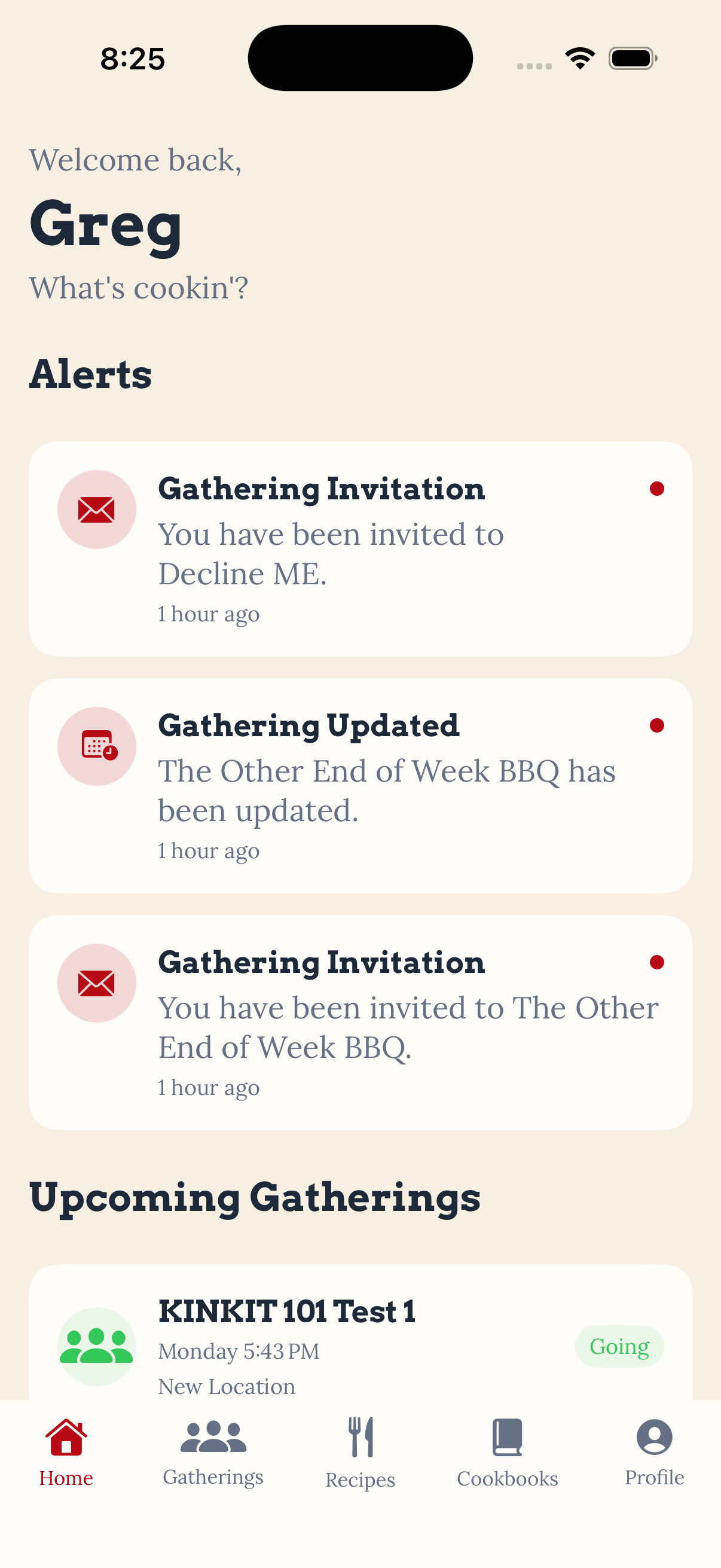
The Home screen also became considerably more functional during this sprint.
Instead of simply being a landing page, it now provides immediate information about what’s happening around the user.
Unread alerts appear directly on Home, while upcoming gatherings show whether the user is:
- Hosting
- Going
- Invited
Both notification cards and upcoming gathering cards can now be selected to open the appropriate Gathering Detail screen.
They also indicate changes in the gatherings that are already marked as going.
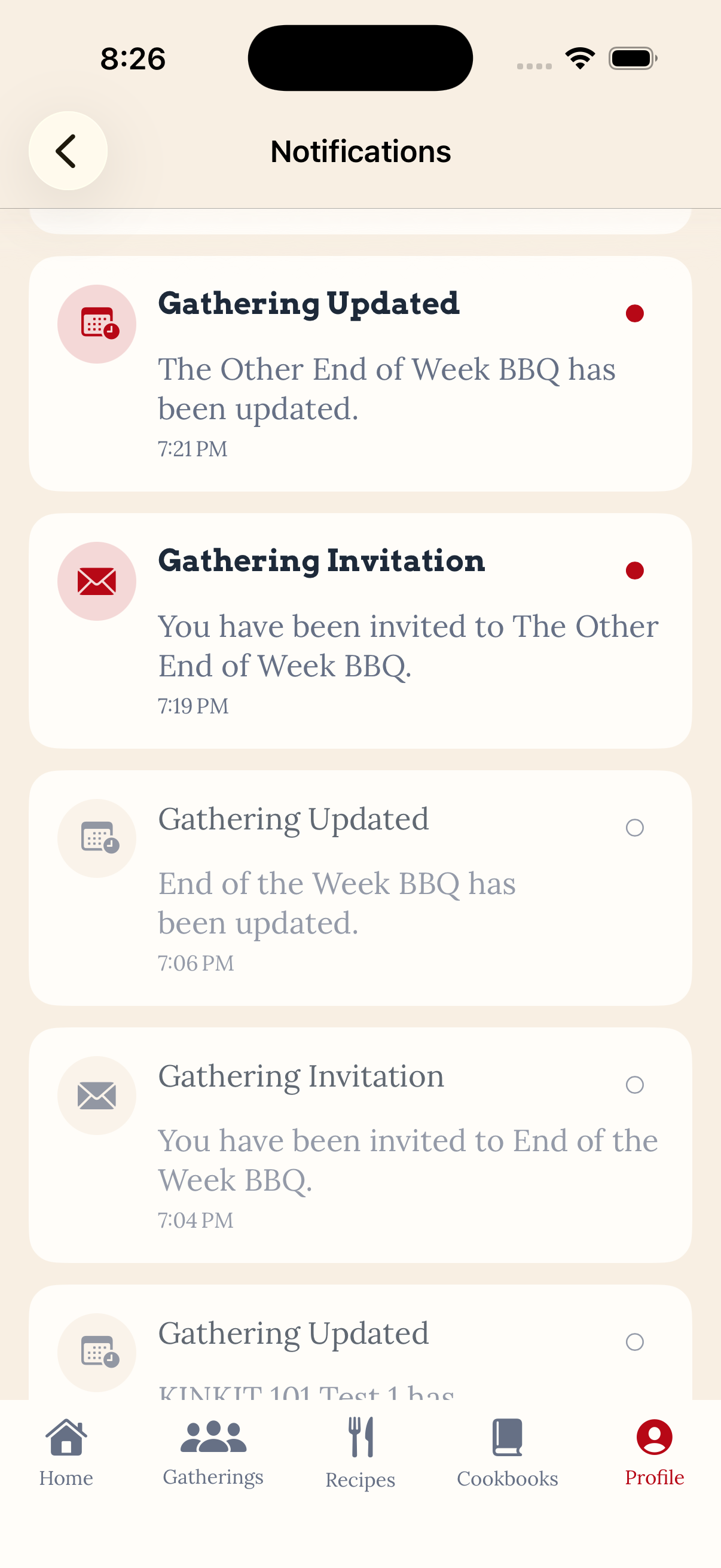
It’s a relatively small interaction, but it makes the Home screen feel much more connected to the rest of the application.
Dietary-Aware Recipe Sharing
Recipe sharing was probably the most important workflow added during Sprint 3. Kin Kitchen isn’t supposed to treat sharing a recipe as simply sending someone a link, The recipient matters. When a user selects someone to share a recipe with, Kin Kitchen can evaluate that recipe against the recipient’s Dietary Profile before the share is completed. If a potential conflict is found, the sender sees a warning explaining what was identified.
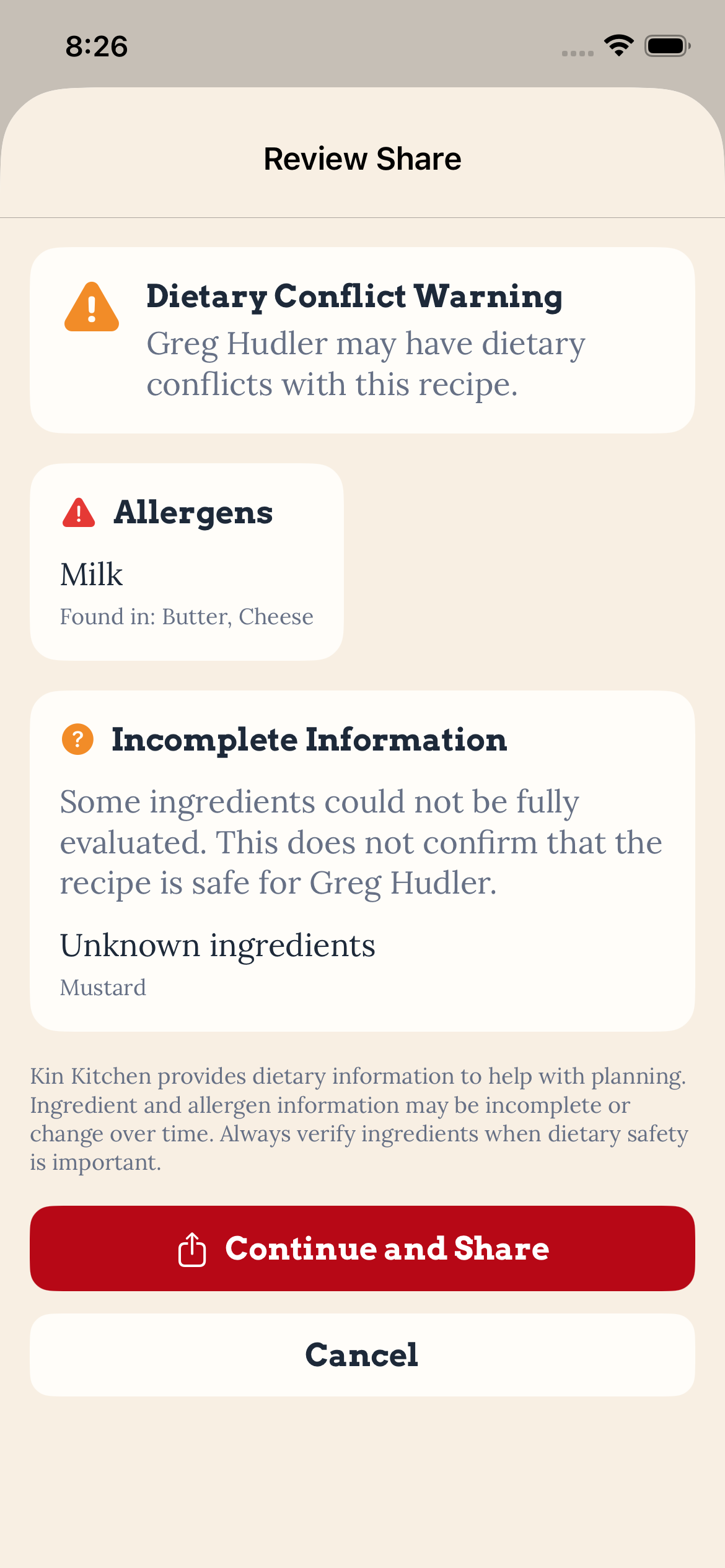
For example, if a recipe contains ingredients associated with an allergen listed in the recipient’s profile, Kin Kitchen can surface that conflict before the recipe is shared.
The workflow becomes:
Choose Recipe → Choose Person → Evaluate Dietary Profile → Review Warning → Share
The warning doesn’t prevent the recipe from being shared.
That is intentional.
Kin Kitchen provides information to help people make better decisions without pretending that the application can determine whether a food is definitively safe for another person.
The sender can review the information and choose whether to continue.
Keeping User Data Separate
Sprint 3 also required much more attention to permissions because features were no longer limited to a single user’s data.
We now had multiple authenticated accounts interacting with the same gatherings while still needing to keep private information separated.
During testing, I used multiple Kin Kitchen accounts to verify that:
- Invitations belonged to the correct user.
- Invitation responses could only be made by the invited user.
- Notifications were only visible to their intended recipient.
- Gathering updates only notified applicable participants.
- Declined or unrelated users did not receive participant updates.
- Dietary information could be evaluated during sharing without modifying the recipient’s Dietary Profile.
- Shared recipes remained associated with the correct sender and recipient.
This was one of the biggest architectural changes from the earlier sprints.
The application isn’t just asking:
“Who is logged in?”
It increasingly needs to ask:
“What is this person allowed to do with this specific piece of data?”
The Bigger Picture
Sprint 1 was about the person.
Sprint 2 was about the food and the gathering.
Sprint 3 was about connecting the people around that table.
Sprint 4 will be about organizing your recipes.
>_ discussion
Comments
Questions, thoughts, or a better way to solve the problem? Join the discussion.