Sprint 5: Discovery and History
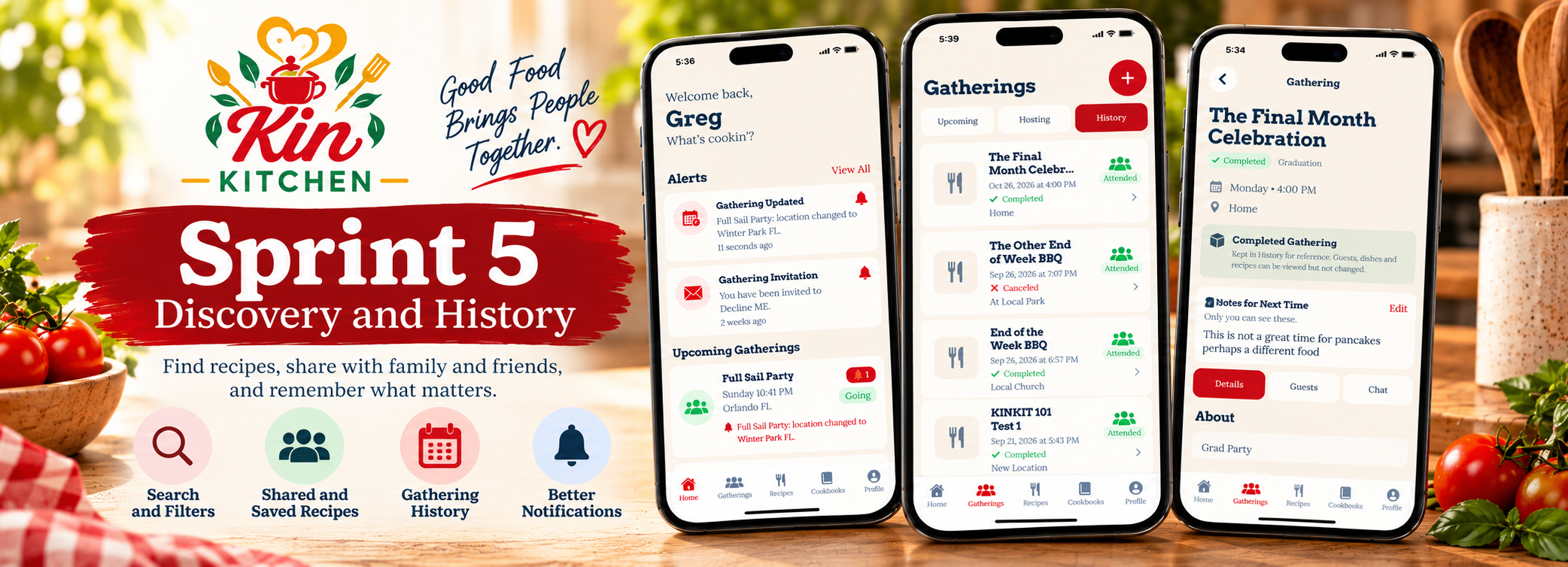
Sprint 5 was focused on making Kin Kitchen better at two things: finding information when you need it and remembering what happened after a gathering is over.
Up to this point, we had built most of the core functionality. Recipes could be created and shared, gatherings could be planned, dishes could be claimed, dietary information could be tracked, and notifications could keep people informed.
This sprint was about connecting those systems together and making them more useful.
Starting With User Testing
Before moving deeper into new features, I addressed several issues discovered during user testing.
The notification system worked, but simply having notifications wasn’t enough. Users needed to be able to quickly understand what was new, what had already been read, and why they were being notified.
Unread notifications now have a stronger visual treatment, while older notifications remain available in a separate section.
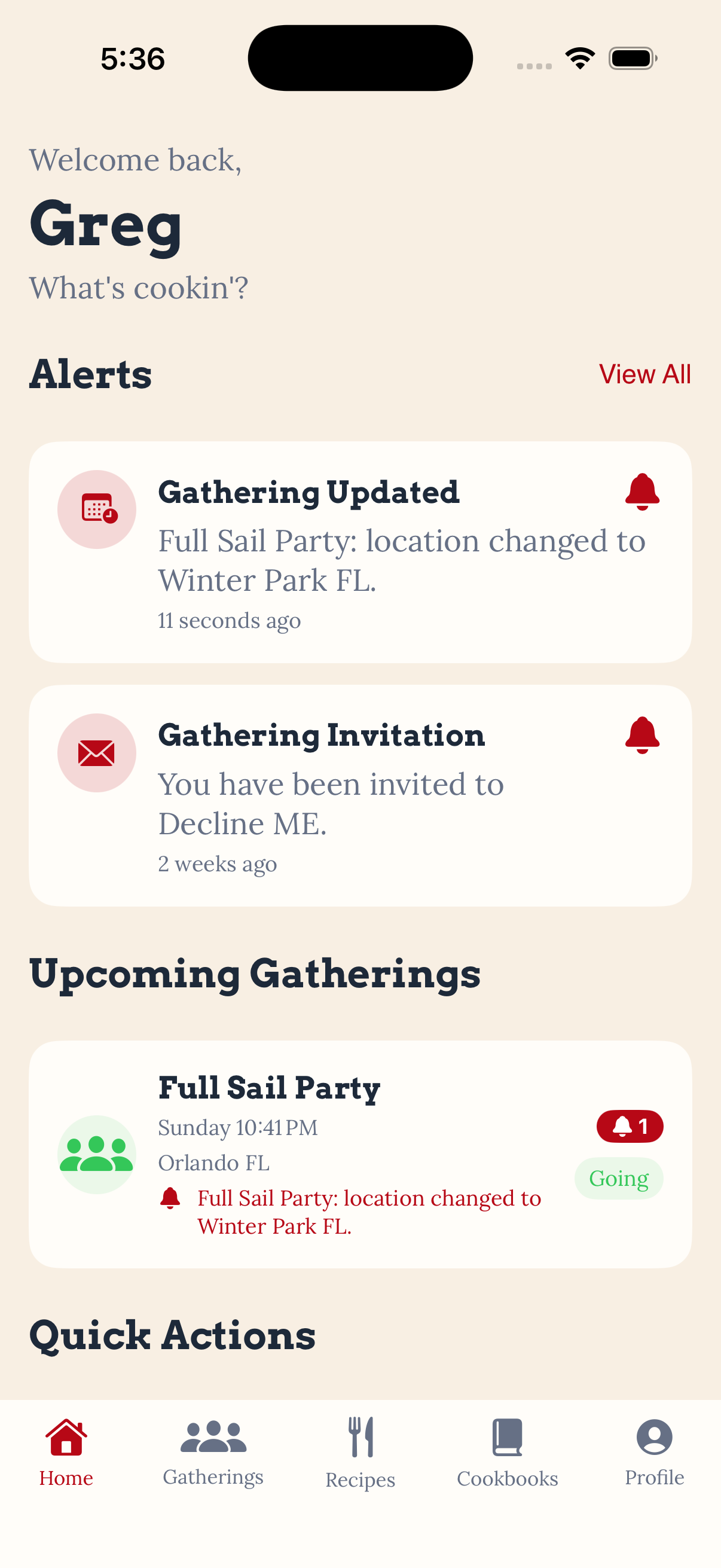
The Home screen also received a View All option so the small notification preview doesn’t become the only way to access notification history.
Gathering updates were another problem.
Previously, a notification could essentially tell you:
This gathering was updated.
That isn’t very useful.
The notification system now compares the previous gathering information with the updated information and can explain what actually changed, such as the date, time, or location.
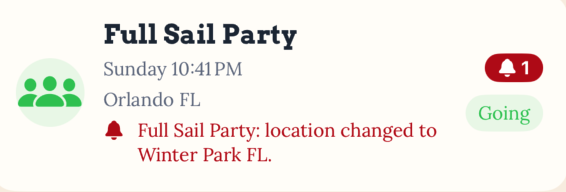
Gathering cards can also display an unread notification indicator. When the gathering is opened, the fields associated with that notification can be highlighted so the user doesn’t have to hunt through the page trying to figure out what changed.
The goal wasn’t to replace the notification system.
It was to make the information already being delivered actually useful.
Recipe Discovery
The largest addition to the recipe system this sprint was advanced search and filtering.
Kin Kitchen now supports searching recipes by name as you type, but search is only one part of the new discovery system.
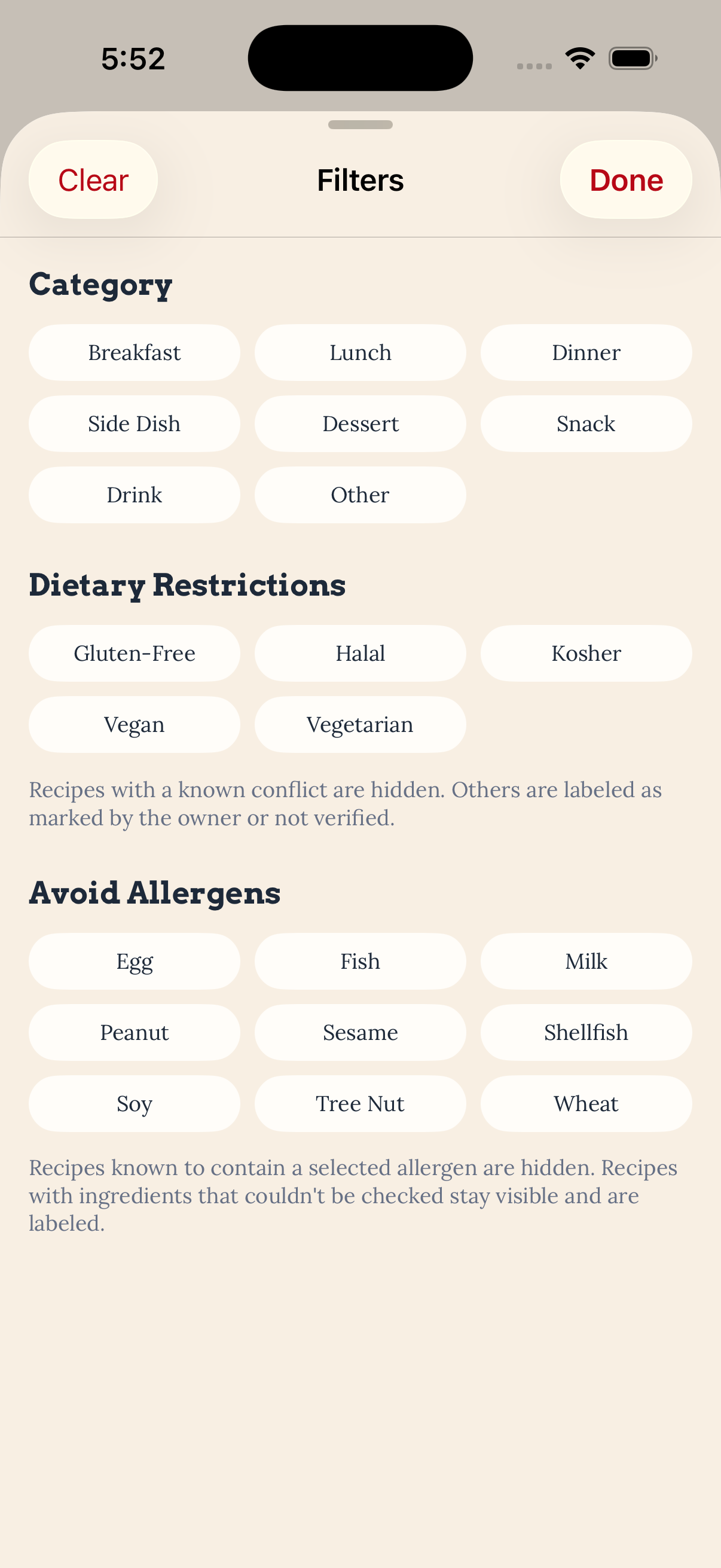
Recipes can now be filtered using multiple categories including:
- Breakfast
- Lunch
- Dinner
- Side Dish
- Dessert
- Snack
- Drink
- Other
Multiple categories can be selected at the same time, and active filters appear as removable chips so it is easy to see exactly why a recipe is appearing in the results.
I also added dietary restriction and allergen filtering.
This turned out to be significantly more complicated than simply checking whether the word “Vegan” or “Milk” appeared somewhere in a recipe.
Dietary Restrictions Are Not Ingredients
One of the more interesting problems this sprint came from dietary restrictions.
A restriction such as Vegan cannot simply be compared against an ingredient list.
An ingredient isn’t going to be named “Vegan.”
Instead, Kin Kitchen needs to understand ingredients that conflict with that restriction.
The new dietary evaluation system combines allergen relationships and ingredient rules to identify potential conflicts.
For example, Vegan recipes can be checked for ingredients associated with Milk, Egg, Fish, and Shellfish, along with other ingredient keywords.
The system also has to understand exceptions.
“Coconut milk” should not be treated the same way as dairy milk.
The same problem appears with words that happen to contain another ingredient name, which is why the system uses whole-word matching rather than simple text searches.
Kosher checking required another rule because the conflict can come from the combination of meat and dairy rather than one individual ingredient.
Most importantly, Kin Kitchen does not label a recipe as safe.
The system can identify a known conflict, identify information provided by the recipe owner, or tell the user that it does not have enough information to completely verify the recipe.
Unknown does not mean safe.
One Recipe Discovery Pipeline
Instead of building separate search systems for every filter, the recipe discovery functionality now runs through one shared pipeline.
Search text, recipe categories, dietary restrictions, and allergens can all be evaluated together.
That means someone can search for a recipe while simultaneously asking Kin Kitchen to narrow the results based on multiple dietary requirements.
The Recipes screen also tells the user how many recipes remain:
Showing 6 of 24 recipes
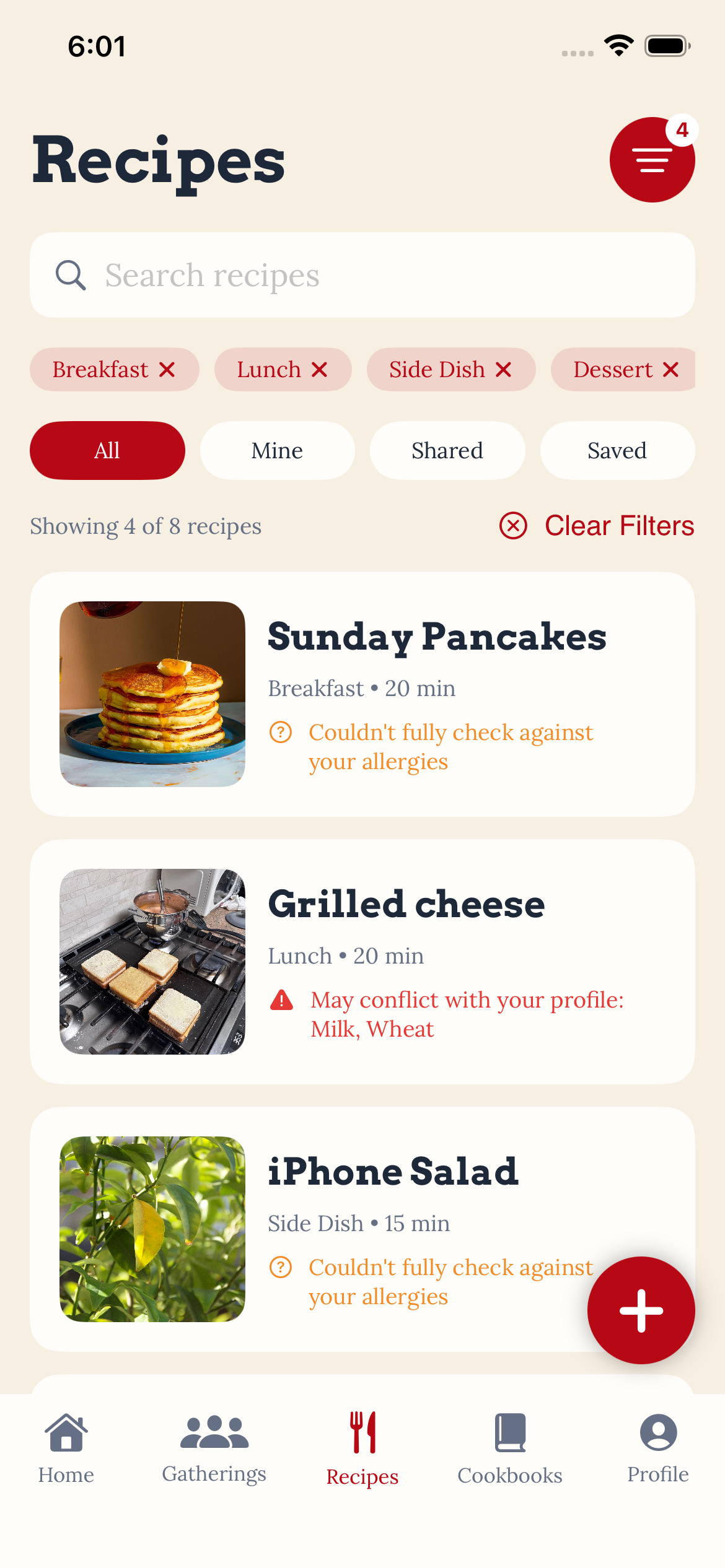
If nothing matches, the app suggests removing a filter rather than simply presenting an unexplained empty screen.
Recipe cards can also compare themselves against the user’s own Dietary Profile and display warnings when a potential conflict is detected.
Shared and Saved Recipes
Recipe sharing also received a major upgrade.
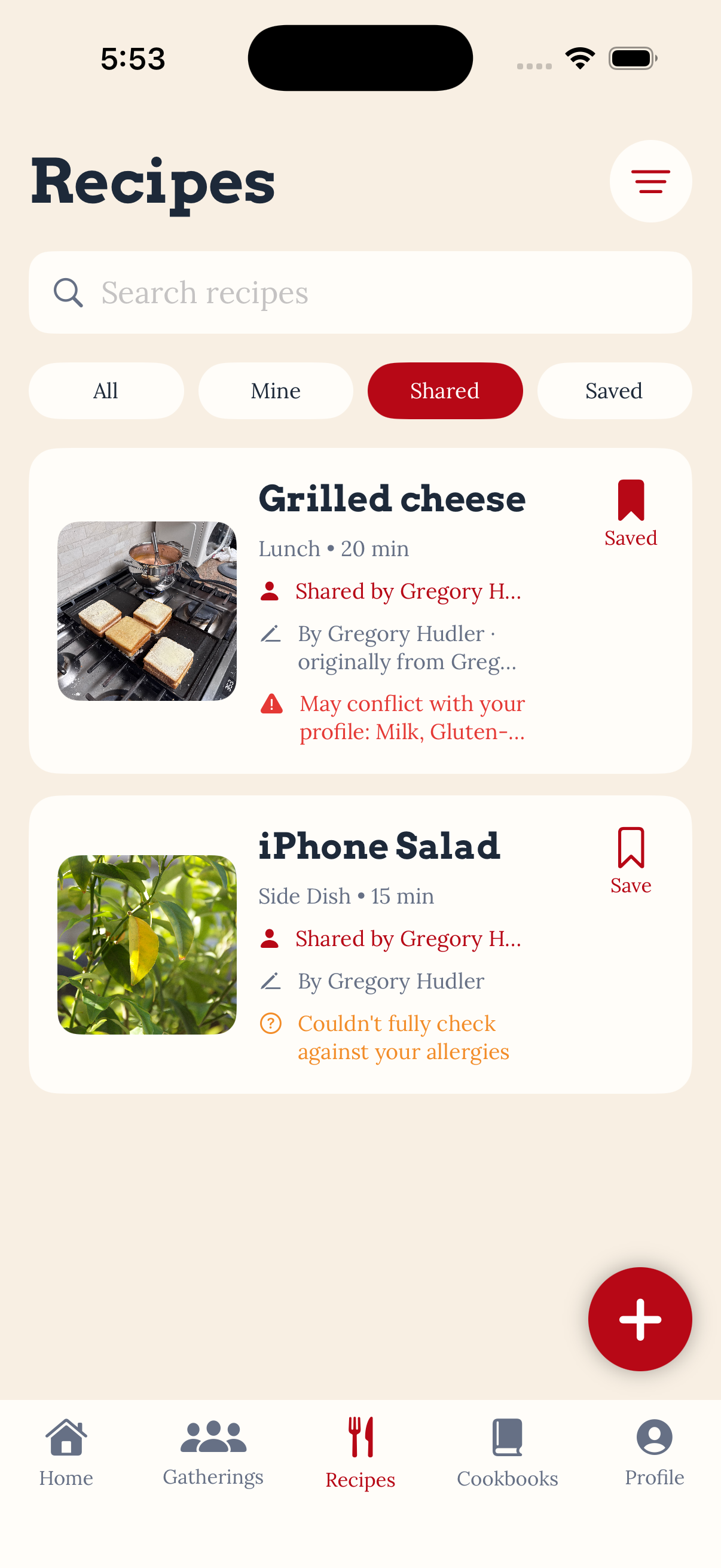
Kin Kitchen now separates three concepts that can easily become confused:
Who created the recipe?
Who shared the recipe with me?
Did I save it?
Those are now treated as separate pieces of information.
A shared recipe can identify the person who sent it while still preserving the original recipe author.
That means a recipe can move through multiple people without losing where it came from.
A recipe might eventually display information such as:
By Rose · version by Sam · originally from Grandma Rose
Saving was intentionally designed differently from copying.
When a user saves a shared recipe, Kin Kitchen creates a relationship to that recipe rather than creating another duplicate recipe record.
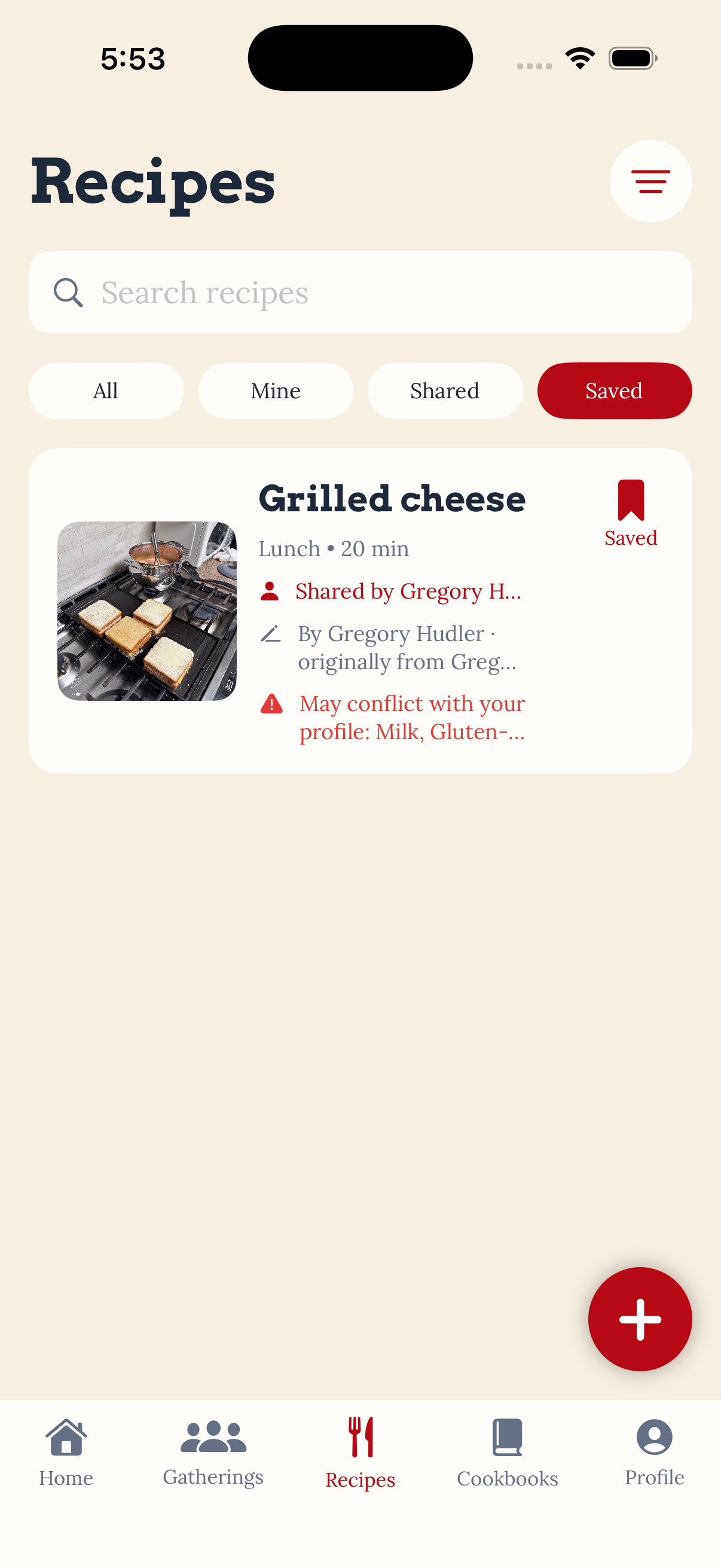
The old Favorites area has now become Saved, and shared recipes can be saved or removed directly from the interface.
This attribution work also creates an important foundation for the recipe-version system planned for the next sprint.
Gathering History
Gatherings also needed a life after the event ended.
Sprint 5 introduced a proper distinction between active gatherings and historical gatherings.
Hosts can mark a gathering as completed, and gatherings can also transition based on time.
The old Past area has become History.
Historical gatherings show information such as:
- Whether the gathering was completed or canceled
- Whether you hosted or attended
- Who actually attended
- What dishes were brought
- Who brought each dish
- The recipes associated with those dishes
The language of the interface changes as well.
An upcoming gathering might ask who is bringing something.
A historical gathering instead records who brought it.
That sounds like a small change, but it changes the gathering from a planning tool into a record of what actually happened.
Protecting the Recipes From Past Gatherings
Gathering History introduced an important data problem.
If someone attends a gathering, enjoys a dish, and later returns to Kin Kitchen to find the recipe, what happens if that recipe is no longer part of the owner’s active collection?
Without protection, the historical gathering could eventually point to information that is no longer available.
Sprint 5 added additional Supabase logic and access rules to protect recipe information connected to historical gatherings. Participants can retain appropriate access to recipes associated with gatherings they attended, allowing Gathering History to remain useful long after the event is over.
This also establishes an important rule moving into Sprint 6:
History should be archived, not destroyed.
Gatherings that actually occurred will become historical records rather than disposable planning data.
Read-Only Gathering Archives
Completed gatherings are now effectively read-only.
Actions that no longer make sense after an event has happened are removed, including editing the gathering, inviting additional people, changing RSVPs, adding dishes and supplies, and claiming items.
Instead, the interface becomes a summary of what happened.
Hosts also gained a private Notes for Next Time area.
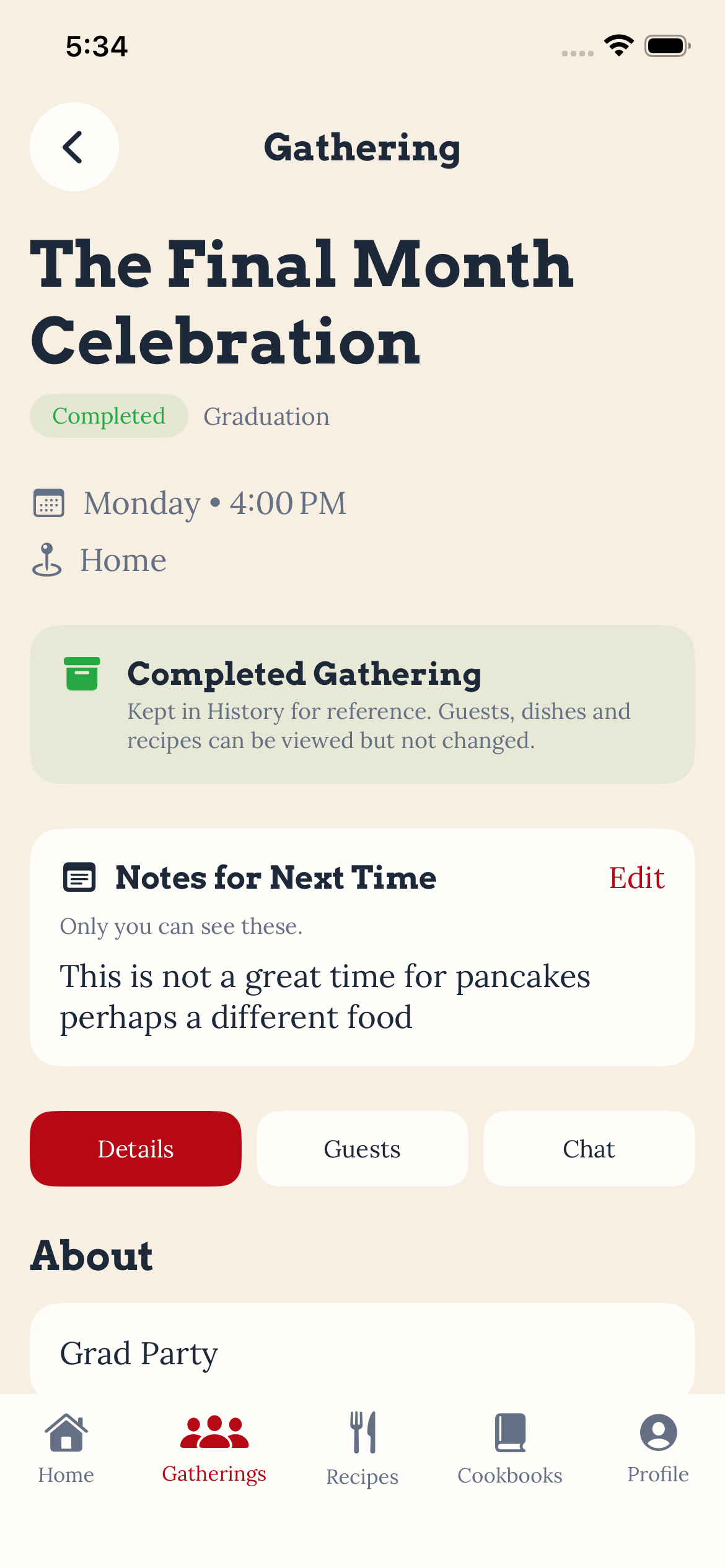
Those notes are stored separately so they remain private to the host even though gathering participants can still access the historical gathering itself.
Finding the Right Definition of “Past”
One issue discovered during regression testing was surprisingly important.
Originally, a gathering effectively became historical as soon as its start time passed.
That meant a gathering scheduled for 5:00 PM could start locking itself down while everyone was still standing around eating.
That obviously wasn’t going to work.
Gatherings now remain active for 12 hours after their scheduled start time before automatically moving into the historical state.
This gives the event time to actually happen before Kin Kitchen treats it like history.
Supabase Changes
Sprint 5 also required several backend changes in Supabase to support the new discovery, sharing, and gathering history features.
New Tables
New tables were added to support:
- Recipe Dietary Restrictions — stores dietary restriction tags associated with individual recipes.
- Saved Recipes — tracks recipes a user has saved without creating duplicate recipe records.
- Gathering Host Notes — stores private notes that only the gathering host can access for future reference.
New and Updated Functions
Supabase functions and database logic were added or updated to support:
- More detailed gathering update notifications that identify what information changed.
- Determining whether a recipe was used in a past gathering.
- Determining whether a gathering participant should retain access to a recipe from a gathering they attended.
- Protecting recipes associated with historical gatherings from being accidentally removed.
- Maintaining appropriate access to recipe information and photos when recipes are shared or referenced through gathering history.
What’s Next — Sprint 6
Sprint 6 will focus on three major areas:
Cookbook Customization
Private cookbooks already exist, but the next step is making them feel like actual cookbooks.
Users will be able to create sections, organize recipes into those sections, control the order of sections and recipes, and preview the finished cookbook.
The existing cookbook cover system will remain in place while the internal organization and presentation of the cookbook become much more customizable.
Content Deletion and Management
Deleting content becomes more complicated now that recipes, cookbooks, gatherings, sharing, saving, and history are connected.
Recipes and cookbooks need proper deletion workflows that respect ownership and their relationships with other content.
Gatherings require a different lifecycle.
Upcoming gatherings can be canceled or deleted.
Canceled gatherings can be deleted.
But once a gathering actually occurs, it becomes part of Gathering History and will be archived instead of destroyed.
This allows Kin Kitchen to give users control over their active content without destroying the historical record of gatherings that actually happened.
Recipe Versions
Recipe versions will allow someone to take an existing recipe and create their own adaptation without changing the original.
The relationship to the original recipe and its author will remain intact while the new version can evolve independently.
Someone might take a family recipe and adjust ingredients, instructions, dietary information, photos, or their own story while still preserving where that recipe originally came from.
We’re also going to connect recipe versions to the Dietary Profile system.
If a recipe conflicts with one of your dietary restrictions or allergens, Kin Kitchen will be able to look for another version of that recipe where the same conflict isn’t detected.
For example, if the original recipe contains an ingredient associated with a user’s peanut allergy but another version does not have a detected peanut conflict, Kin Kitchen can help surface that alternative.
It still won’t call that recipe allergy safe.
Instead, the goal is to help users discover potentially better alternatives while continuing to clearly communicate what Kin Kitchen does and does not know.
Build. Test. Commit.
Sprint 5 connected systems that had previously been much more independent.
Recipes are no longer just stored.
They can be searched, filtered, checked against a Dietary Profile, shared while preserving attribution, saved without duplication, and connected permanently to the gatherings where they were served.
Gatherings are no longer just planning tools either.
They now become part of a history.
That foundation is going to matter a lot as Kin Kitchen moves into customization, content management, and recipe versions during Sprint 6.
>_ discussion
Comments
Questions, thoughts, or a better way to solve the problem? Join the discussion.