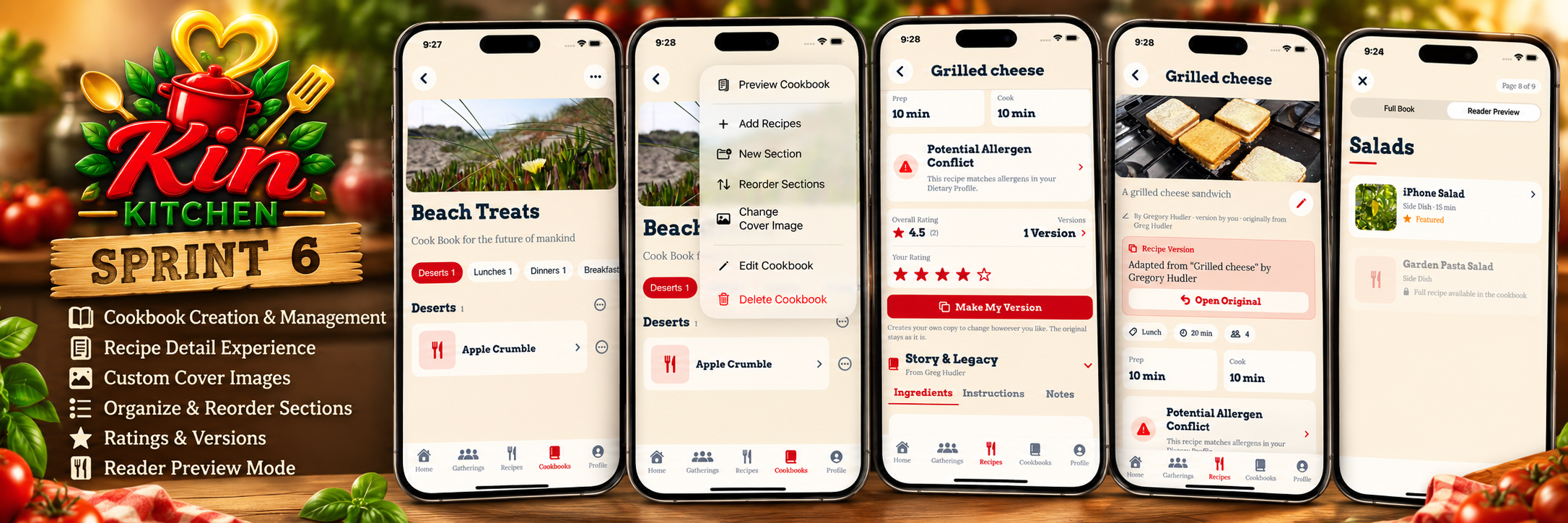
Variants and sections!
Sprint 6 was all about giving users more control over their recipes and cookbooks. Up until this point, Kin Kitchen had been focused on creating recipes, preserving family stories, organizing gatherings, and sharing food with the people who matter.
This sprint took those foundations and expanded them into something much more personal.
We introduced more ways to organize cookbooks, manage existing content, create personalized versions of recipes, and preview how a cookbook will look to someone reading it.
The goal wasn’t simply to add more features. It was to make Kin Kitchen feel less like a database of recipes and more like a collection of cookbooks that people can build, customize, and eventually pass down.
Cookbook Customization
One of the biggest improvements this sprint was giving users greater control over how their cookbooks are organized.
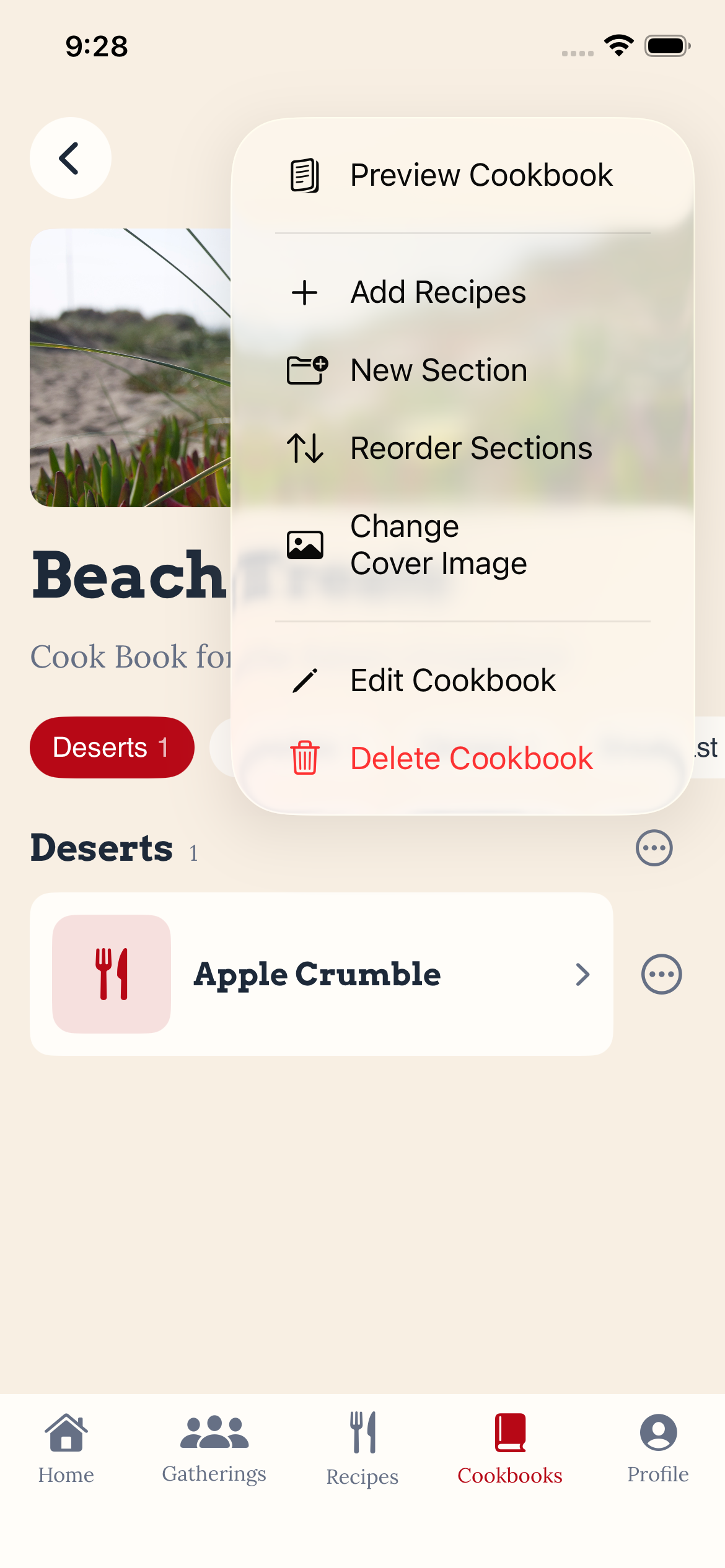
Previously, cookbooks provided a way to group recipes together, but there wasn’t much flexibility in how those recipes were presented.
Now, users can create their own cookbook sections, assign recipes to those sections, and rearrange the organization of their books.
A cookbook doesn’t have to follow a predetermined structure. Someone might organize their recipes into Breakfast, Lunch, and Dinner, while another person might prefer Grandma’s Favorites, Holiday Traditions, and Family Desserts.
Both approaches work.
Organizing Recipes and Sections
We introduced several new cookbook management options:
- Create custom sections within a cookbook.
- Add recipes to existing sections.
- Reorder sections to control the cookbook’s structure.
- Reorder recipes within their sections.
- Update cookbook information and cover images.
- Preview the cookbook before sharing or presenting it.
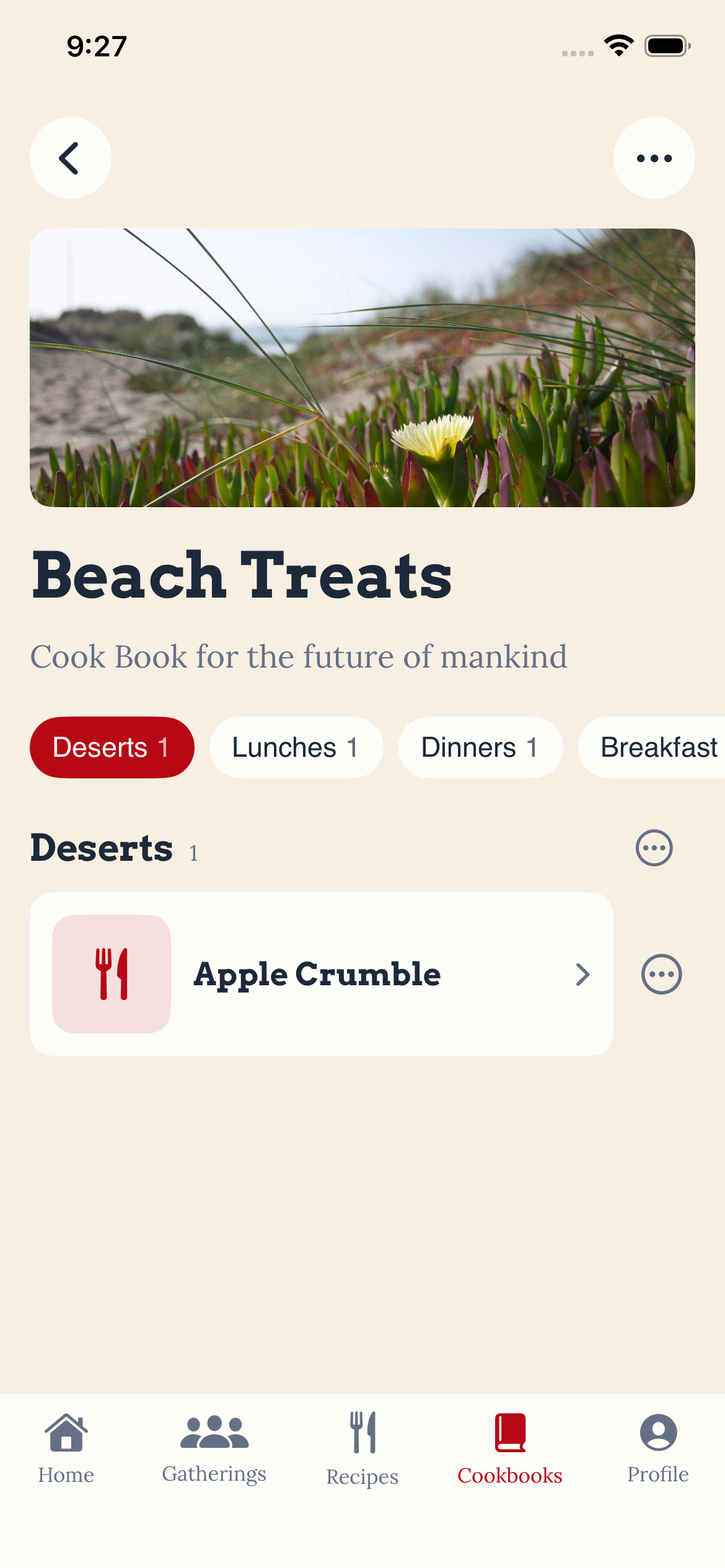
These changes give users the freedom to build cookbooks around their own traditions rather than forcing everyone into the same organizational system.
We also expanded the cookbook management menu to bring these actions together in one place.
A New Cookbook Preview Experience
Organizing a cookbook is one thing. Being able to see how someone else will experience it is another.
Sprint 6 introduced a cookbook preview with two viewing options: Full Book and Reader Preview.
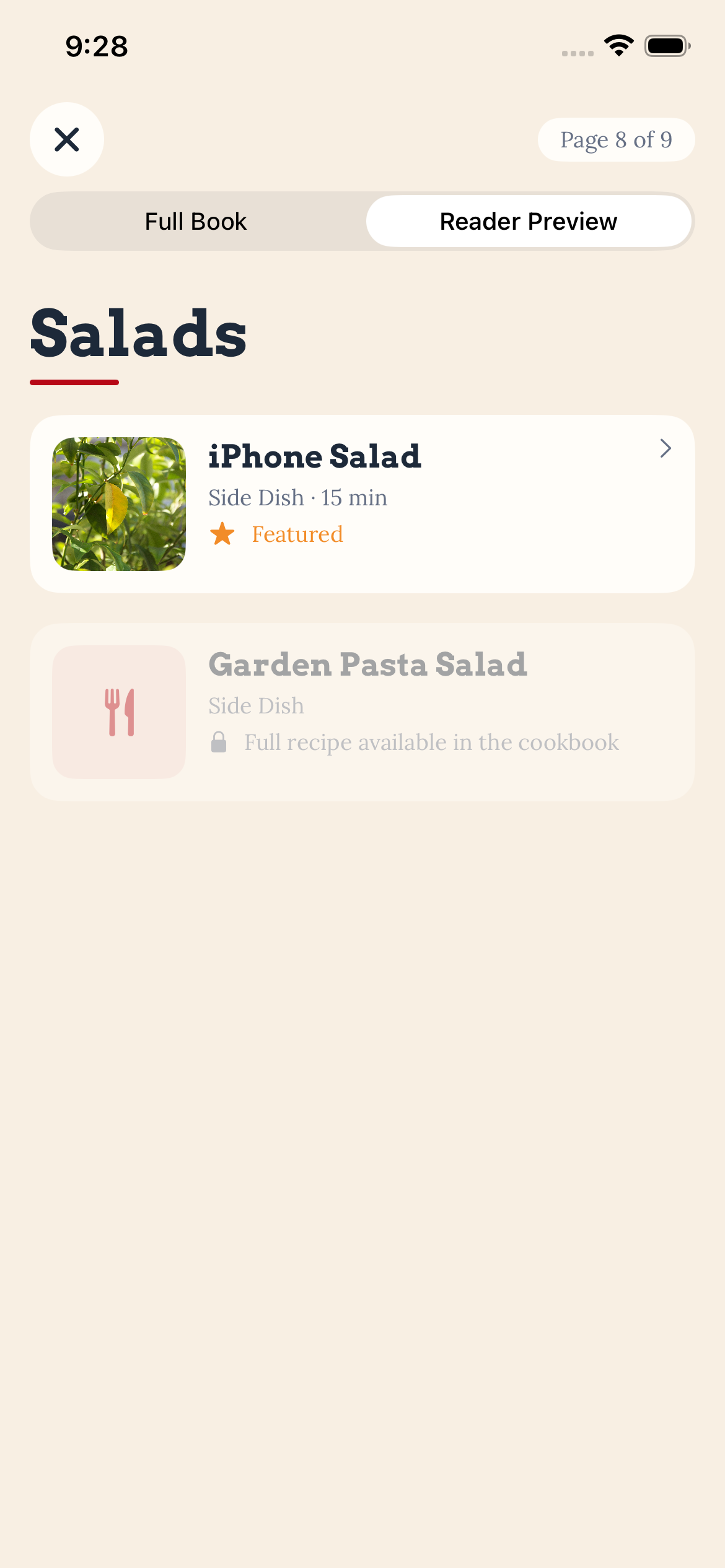
The Full Book view provides access to the cookbook’s complete contents, while Reader Preview presents a more limited reading experience.
This is an important distinction as we continue developing Kin Kitchen’s cookbook-sharing and future monetization features.
We want cookbook creators to have control over how their work is presented while still allowing readers to explore what a cookbook has to offer.
This also gives us a stronger foundation for the more interactive cookbook experience planned for Sprint 7.
Recipe Versions — Keeping the Original While Making It Your Own
One of my favorite additions this sprint was recipe versioning.
Family recipes rarely stay exactly the same.
Someone might change an ingredient, adjust the cooking time, substitute something for a dietary restriction, or simply discover a better way to prepare a dish.
Those changes are part of how recipes evolve.
But there’s an important difference between improving a recipe for yourself and changing the original recipe that someone shared with you.
Kin Kitchen now allows users to create their own versions of existing recipes without altering the original.
Make My Version
Recipes now include a Make My Version action.
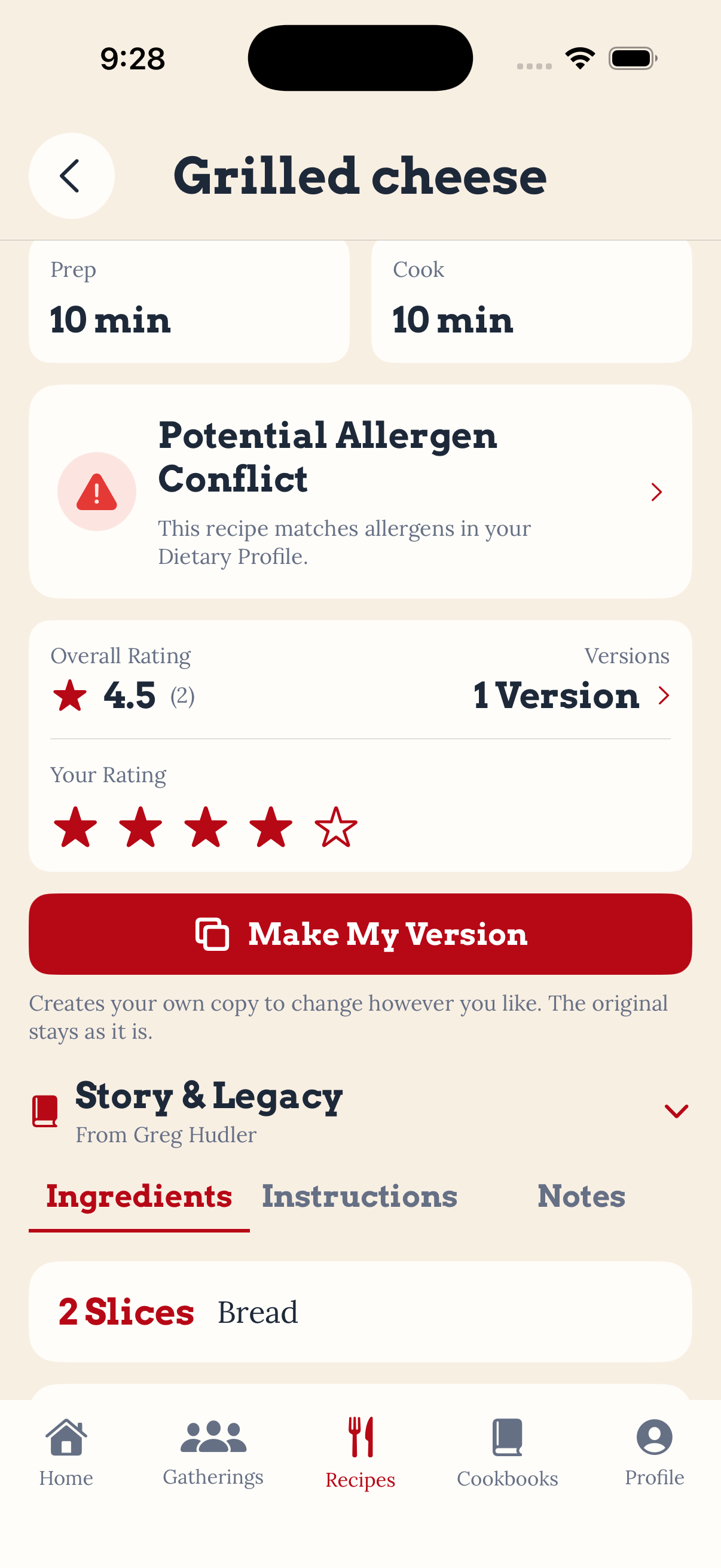
When selected, Kin Kitchen creates a separate version that users can modify independently.
The original recipe remains unchanged.
This means a family member can take a recipe that’s been passed down for generations and experiment with it while preserving the original instructions and ingredients.
It also means multiple interpretations of the same recipe can exist without losing track of where they came from.
Preserving Recipe Attribution
Creating a version shouldn’t erase the person who originally shared the recipe.
We introduced a relationship between recipe versions and their original sources.
When viewing a personalized version, Kin Kitchen identifies the original recipe and its creator. Users can also navigate back to the source using the Open Original action.
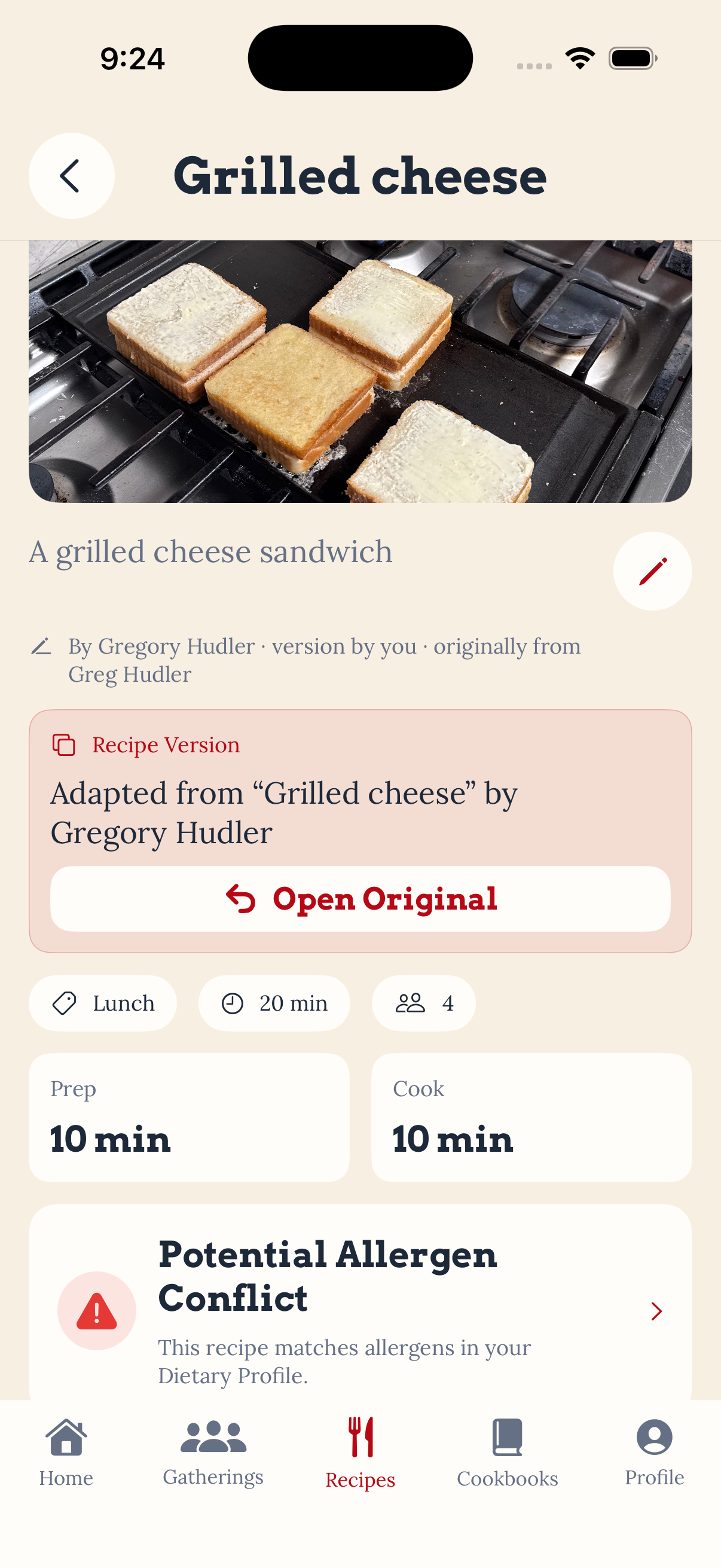
This is especially important for the Story & Legacy features we introduced in earlier sprints.
A recipe might change over time, but its history should remain connected to the people who created and shared it.
Content Management
As users create more recipes and cookbooks, managing that content becomes increasingly important.
Sprint 6 expanded the available management actions to include deleting recipes and cookbooks, with confirmation steps intended to prevent accidental removal.
We also refined gathering management.
Upcoming gatherings can be canceled or deleted when plans change, while gatherings that have already taken place remain part of the user’s history.
That distinction matters because completed gatherings can contain attendance records, contributed dishes, recipes, and notes that users may want to revisit later.
The goal is to give users control over their content without unnecessarily losing the memories associated with past events.
Behind the Scenes
These features required more than just updating the interface.
We continued expanding the Supabase-backed data model to support cookbook organization, recipe relationships, and content management.
We also worked through how these changes interact with features from previous sprints, particularly saved recipes, shared content, dietary profiles, and gathering history.
One of the recurring challenges in building Kin Kitchen is ensuring that a new feature doesn’t disrupt the relationships between existing ones.
For example, a personalized recipe version needs to be editable without changing the original. At the same time, it needs to preserve enough information to identify its source and support dietary conflict detection.
These are the kinds of details that aren’t always visible in a screenshot but make a significant difference in how an application behaves.
Looking Ahead — Sprint 7: The Kin Kitchen Experience
Sprint 6 gave users more control over their content.
Sprint 7 will focus on how that content is experienced.
We’re preparing a significant redesign of the Home screen and cookbook interface.
The Home screen will become warmer, more welcoming, and more useful, with improved access to gatherings, recipes, notifications, and cookbooks.
The cookbook experience will move closer to the feeling of reading a physical book, including interactive section tabs and more intuitive navigation between recipes.
We’re also planning seasonal Home screen themes that reflect the time of year while preserving Kin Kitchen’s visual identity.
Spring will bring softer floral colors, summer will introduce warm citrus tones, autumn will focus on harvest-inspired colors, and winter will feature holly greens with festive red and gold accents.
The goal is to make Kin Kitchen feel like a place people enjoy returning to, not just an application they open when they need to find a recipe.
Closing Thoughts
Sprint 6 was an important step toward the original vision for Kin Kitchen.
Recipes aren’t static instructions. They’re things people share, adapt, remember, and pass along.
Cookbooks are more than folders containing those recipes. They represent personal collections of food, experiences, and traditions.
With customizable cookbooks, independent recipe versions, preserved attribution, and improved management tools, we’re getting closer to building an application that respects both sides of that experience.
Because one taste does not fit all, make it different till your find your flavor!
>_ discussion
Comments
Questions, thoughts, or a better way to solve the problem? Join the discussion.